
Amidst the explosive growth of the renewable energy sector in Vietnam, Growatt has solidified its position as one of the most popular inverter (what is an inverter?) brands globally, renowned for its stable performance and cost-effectiveness. However, having spent 20 years troubleshooting industrial and residential electrical systems, I understand the sinking feeling homeowners and facility managers experience when the “heart” of their solar power system suddenly flashes a red warning light.
When your solar power system encounters a fault, understanding the specific “language” of the device—its error codes—is the golden key to saving significant repair costs and minimizing downtime. This article is not merely a dry lookup table for Growatt inverter error codes; it is a deep-dive technical handbook designed to help you diagnose and resolve issues. Furthermore, it introduces professional inverter repair services should the problem exceed DIY troubleshooting capabilities.
1. Preliminary Diagnosis: Incidents Without Error Codes
Quick Answer: Incidents that do not display specific error codes often stem from physical connection issues (loose wiring, grid power loss) or environmental factors (overheating, heavy shading, soiling). Before attempting software interventions, verify the status of the Circuit Breaker (CB), measure the input AC/DC voltages, and ensure the equipment is physically clean and well-ventilated.
Before diving into the matrix of digital technical codes, we must start with fundamental physical inspections. In my extensive experience, approximately 40% of perceived inverter failures are not due to complex microchip errors, but rather external switching devices, loose cabling, or grid anomalies that prevent the system from starting up.
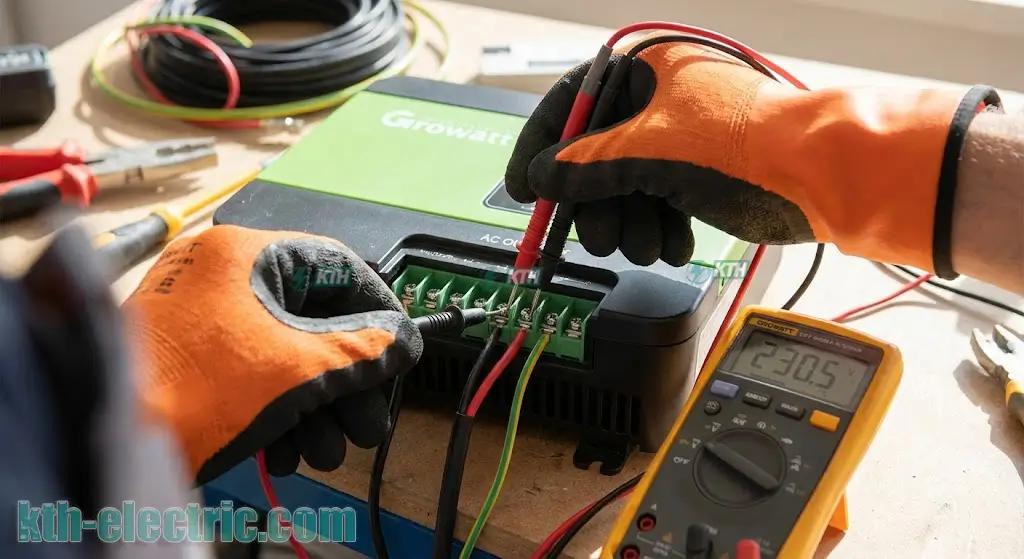
Below is a rapid diagnosis table based on real-world phenomena:
| Phenomenon | Root Cause Analysis & Actionable Solutions |
|---|---|
| No AC Connection | This is the most common issue encountered in the field. The primary cause is usually a local grid power outage, or the circuit breaker (Aptomat) / AC disconnect has tripped due to overcurrent or a ground fault. Actionable Steps:
|
| No Output Power (0W) | The LCD screen is illuminated, but the power generation displays 0W. This can be caused by firmware logic errors, a disconnected DC switch, or insufficient solar irradiance to reach the startup voltage (Vstart).
Actionable Steps: Use a clamp meter to verify DC current flow. If the output AC alternating current is zero despite sufficient sunlight, perform a full system Hard Reset to clear logic faults. |
| Low Yield (Low Power Output) | The system is running, but efficiency is significantly below design specifications. The main culprits are usually soiled panels (dust/bird droppings), new shading objects (trees/buildings), or Potential Induced Degradation (PID).
Actionable Steps: Clean the solar panels using deionized water. Furthermore, undersized cabling causing voltage drop is a silent killer of efficiency; ensure you refer to guides on how to use electrical cables correctly for the distance and amperage. |
| Physical Over Temperature | The inverter chassis is hot to the touch, and fans are running at maximum RPM. This is caused by poor installation location (no airflow), direct sunlight exposure, or clogged heatsinks.
Actionable Steps: Clean the rear heatsink fins. If you suspect overheating at connection points within the combiner box or breaker panel, utilize a professional electrical cabinet thermal scan service to detect hotspots before they cause fire. |
2. Detailed Growatt Inverter Error Code Lookup Table
Quick Answer: Growatt inverter error codes are categorized into three main groups to streamline the troubleshooting process: Hardware/System Faults (Codes 1xx/4xx), PV/DC Side Faults (Codes 2xx), and AC Grid Side Faults (Codes 3xx). Correctly identifying the error group can save up to 50% of diagnostic time.
To facilitate efficient troubleshooting, we have categorized the error codes. Please identify which group your specific error falls into: Hardware, DC Side (Panels), or AC Side (Grid).
Group 1: Internal System & Hardware Faults (Codes 1xx & 4xx)
Expert Note: Error codes 1xx (e.g., 101, 117, 120) and 4xx typically indicate a physical failure of internal electronic components (Control Board, EEPROM Memory Chip, Sensors). For this category, a simple system reset is rarely effective; these issues usually require deep-level repair or component replacement.
This group of errors pertains to the internal electronics, such as the main control board, current sensors, or data storage memory.
| Error Code | Error Name & Professional Analysis | Troubleshooting Guide |
|---|---|---|
| Error 101 / 102 | Communication Error: Loss of data transmission between the main DSP processor and the slave M3 processor. This implies the “brain” of the inverter is out of sync. | Perform a Hard Reset (Turn off DC -> Turn off AC -> Wait 5 mins -> Turn on). If the error persists, the control board is corrupted and requires professional inverter maintenance and repair services. |
| Error 117 | Relay Fault: The internal grid-tie contact (what is a contact?) of the relay is stuck (welded) or the coil has failed. | Relays are mechanical components with a finite lifespan. This error necessitates the replacement of the power board or the specific relay component by a technician. |
| Error 119 | GFCI Device Damage: The internal Residual Current Device (RCD) sensor is damaged. This functions similarly to an ELCB (what is ELCB?) but is built into the board. | Restart the unit. If the error remains, the safety sensor is compromised. Immediate repair is required to ensure protection against ground faults. |
| Error 120 | HCT Fault (Current Sensor Fault): The Hall Effect current sensor is providing inaccurate readings or has failed open/closed. | Restart the inverter. If the error persists, the Hall sensor on the mainboard must be desoldered and replaced. |
| Error 408 | Over Temperature: The internal ambient temperature of the inverter has exceeded 90°C (194°F), triggering thermal shutdown. | Inspect the cooling fans for blockage. Ensure the inverter is not installed in direct sunlight or a confined space without airflow. |
Group 2: PV Side & DC Voltage Issues (Codes 2xx)
Safety Warning: Errors in the 2xx range are directly related to High Voltage DC coming from the solar array (often 600V – 1000V). The risk of DC Arc Flash is extremely high. NEVER disconnect MC4 connectors while the inverter is under load or displaying these errors without first isolating the DC Switch.
This group deals with the DC input from your solar panels. These are critical safety errors.
| Error Code | Root Cause Analysis | Actionable Solutions |
|---|---|---|
| Error 201 | Residual I High: The leakage current from the PV system to the ground has exceeded the safety threshold. | Inspect DC cabling for rodent damage or insulation stripped against the racking. This mechanism works like an anti-shock breaker (what is it?) but is integrated for DC safety. |
| Error 202 | PV Voltage High: The PV String voltage has exceeded the maximum input rating (Vmax) of the inverter. | DANGER! Turn off the DC switch immediately. Verify string sizing design. It is likely too many panels are wired in series, increasing Voc beyond limits. |
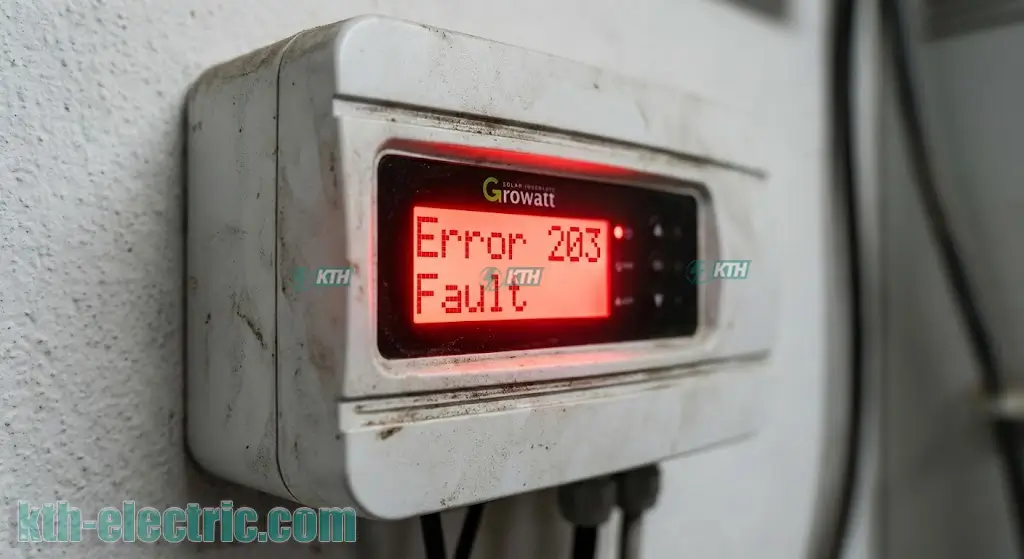
| Error 203 | PV Isolation Low: Low insulation resistance to the ground. This frequently occurs during rain or high humidity mornings. | Check the system grounding. If absent, refer to grounding construction standards. Inspect all MC4 connectors for water ingress or corrosion. |
| Warning 203 | PV Short Circuit: Short circuit detected at the PV input terminals. | Check for reversed polarity (+/-) on the input strings. If wiring is correct but the error persists, the internal DC Boost circuit may be shorted. |
| Warning 205 | PV Boost Broken: The DC-DC Boost converter circuit is damaged. | Contact the warranty center or a specialized repair service for board-level repair. |
Group 3: AC Grid Connection Issues (Codes 3xx)
2025 Update Information: Due to grid instability in many developing areas, Error 300 and 304 are becoming increasingly common. Adjusting the voltage protection limits (Voltage Limit) must strictly adhere to local utility regulations regarding power quality.
These errors appear when the utility grid parameters (Voltage, Frequency) do not match the inverter’s safety settings.
| Error Code | Root Cause Analysis | Actionable Solutions |
|---|---|---|
| Error 300 | AC V Outrange: Grid voltage is too high (often >270V) or too low for the inverter to sync. | 1. Measure voltage between Phase-Neutral and Phase-Phase (if using what is 3-phase power?).
2. If the actual grid voltage is unstable, the protection parameters need widening (requires a technician with advanced access). |
| Error 302 | No AC Connection: Missing phase or open neutral wire. | Check the main switch/disconnector (what is it?). A loose neutral wire is highly dangerous and a common cause. Read more about lost neutral wire incidents. |
| Error 303 | PE Abnormal: Grounding fault (Voltage between Neutral and PE is >30V). | Inspect the grounding rod/electrode. Perform a ground resistance measurement to ensure it meets standards (< 4 Ohms). |
| Error 304 | AC F Outrange: Grid frequency is out of range (deviating from 50Hz/60Hz). | This is common when running on backup generators. Growatt inverters are sensitive to frequency shifts and may not sync with unstable generators. |
3. Deep Dive Analysis: The “Rainy Season Killer” & Voltage Swells
Quick Answer: Error 203 (PV Isolation) and Error 300 (AC Outrange) are the two “classic” faults. Error 203 is typically caused by DC wiring leakage during wet conditions, while Error 300 reflects poor grid quality in the installation area.
Error 203: PV Isolation Low (Ground Fault)
This error causes the most headaches for system owners, especially during the rainy season or humid mornings. Technically, it means the insulation resistance of the DC wiring has dropped, creating a leakage path to the metal frame or roof.
- Consequence: The inverter shuts down immediately to prevent shock hazards.
- Resolution: Use a Megometer (Insulation Tester) to test the resistance of each string to ground. A thorough inspection of all roof cabling for abrasions or water-logged connectors is mandatory.
Error 300: AC V Outrange (Voltage Swell/Sag)
In areas at the end of a distribution line or where solar penetration is high, grid voltage fluctuates significantly.
- Note: If grid voltage consistently exceeds 250V (or the local limit), the inverter disconnecting is standard behavior to maintain power quality.
- Solution: If the utility company cannot resolve the voltage rise, you may need to install voltage stabilizers or have a technician adjust the inverter’s upper voltage limits (Advanced Settings) within safe margins.
4. Standard Hard Reset Procedure (Technical Reset)
Quick Answer: A Hard Reset reboots all internal microprocessors by completely discharging the capacitors. The 4-step process: Turn Off AC -> Turn Off DC -> Wait 5 mins for full shutdown -> Turn On DC -> Turn On AC. This clears most “ghost” errors caused by software glitches.
Many “ghost” errors caused by firmware interference or transient spikes can be resolved simply by a proper reset. Follow this sequence to ensure safety for the semiconductor components:
- Disconnect AC Breaker: Isolate the unit from the grid first. Refer to our guide on how to distinguish between MCB, MCCB, ELCB, RCBO to operate the correct switch.
- Turn Off DC Switch: Rotate the DC Switch on the inverter chassis to the OFF position.
- Wait (5-10 Minutes): This is the most critical step. You must wait for the internal DC Bus capacitors to discharge fully. The LCD screen must be completely black.
- Restart: Turn ON the DC Switch first -> Wait for the screen to light up -> Turn ON the AC Breaker.
5. Preventive Maintenance: Cost-Effective Optimization
Quick Answer: Routine maintenance extends equipment life by 30%. Key tasks include: Cleaning panels and heatsinks (every 6 months), re-torquing connection points, and performing deep diagnostic measurements using electrical testing equipment.
“Prevention is better than cure.” A solar power system requires periodic care to operate reliably for its 20-year lifespan.
- Cleaning & Inspection: Every 6 months. Pay special attention to cleaning busbars or connection points in the main combiner box for large systems.
- Periodic Testing: Utilize professional services like electrical testing services to assess system health and detect degradation early.
- Monitoring: Track daily production via the ShinePhone App. A sudden drop in yield is a precursor to failure.
6. Contacting Growatt Repair Specialists
If you have performed the steps above and the error persists, or if you encounter hardware fault codes (Error 100, 117, 120…), absolutely do NOT attempt to open the inverter casing. High Voltage DC can be lethal.
TECHNICAL SUPPORT & ADVANCED REPAIR SERVICES
Contact KTH Electric immediately. With a team of experienced engineers and modern diagnostic equipment, we provide specialized services:
- ✅ Component-level repair for Growatt, SMA, Huawei inverter boards…
- ✅ Comprehensive electrical system maintenance services.
- ✅ Troubleshooting ground faults and grid connection issues.
KTH ELECTRIC COMPANY LTD.
📍 Address: 251 Pham Van Chieu, Ward 14, Go Vap District, Ho Chi Minh City.
📞 Technical Hotline: 0968.27.11.99
📧 Email: kthelectric.com@gmail.com
🌐 Website: kth-electric.com
*This article is updated based on the latest 2025 technical standards. KTH Electric – Your trusted partner for electrical systems.*